





 Screen Protectors
 Privacy Protectors
 Phone Cases
 Audio
Audio Cables & Chargers
 Car Accessories
 Power Bank
 Accessories
 Tech Store
 Smartphones
 Tablets
 Smartwatches
 Windows Laptops
 MacBooks
 Desktops
Tech Lab
PS5 HDMI Port Repair Cost UK: When Does the Port Actually Need Replacing?
PS5 HDMI Port Repair Cost UK
If your PS5 powers on but the TV shows No Signal, the HDMI port is one of the first things to check. But a black screen does not automatically mean the socket itself needs replacing.

Common Signs of PS5 HDMI Port Damage
Physical HDMI damage often happens after the console is moved with the cable connected, the cable is pulled sideways, or the connector takes an impact.
Can the Port Look Fine and Still Be Faulty?
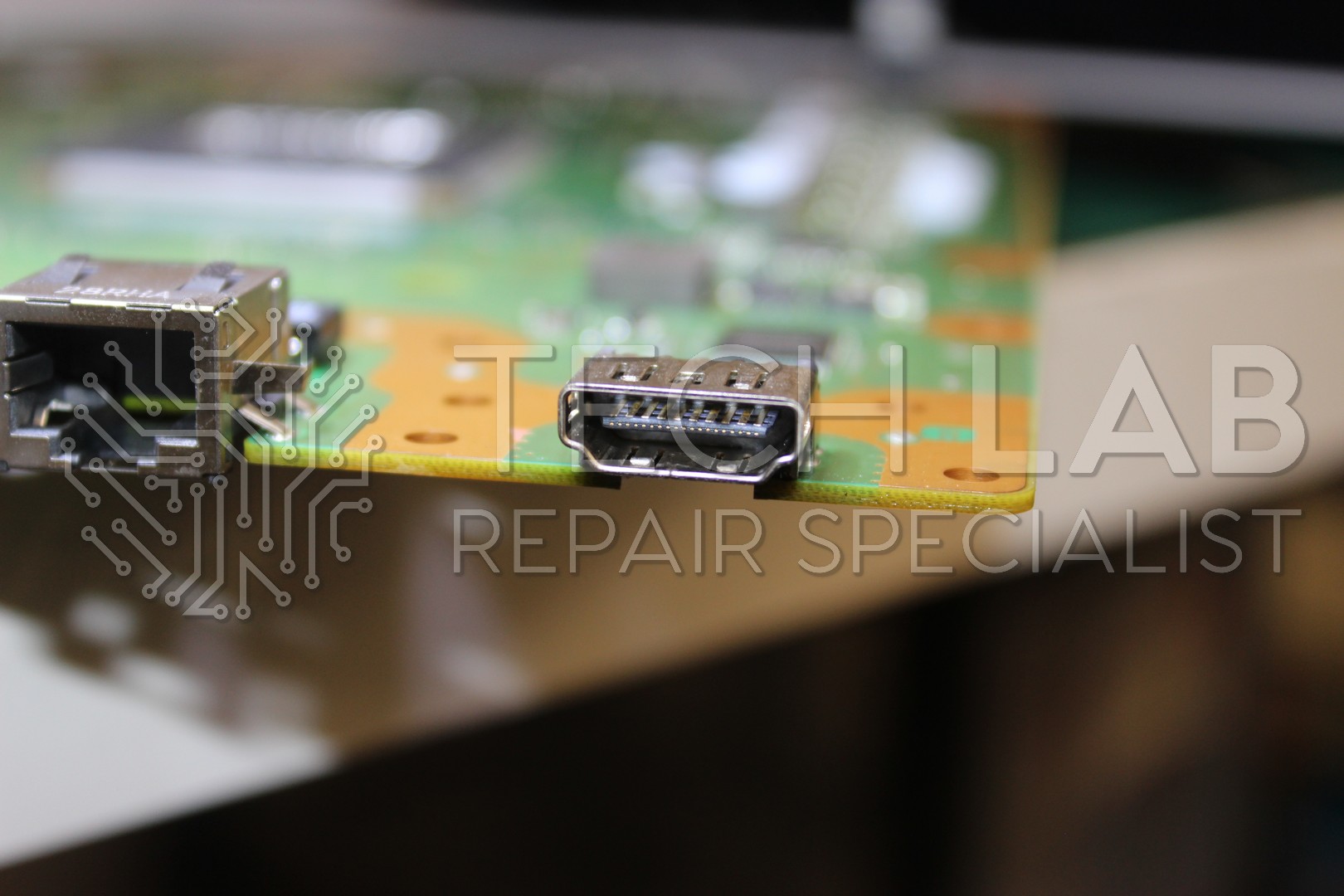
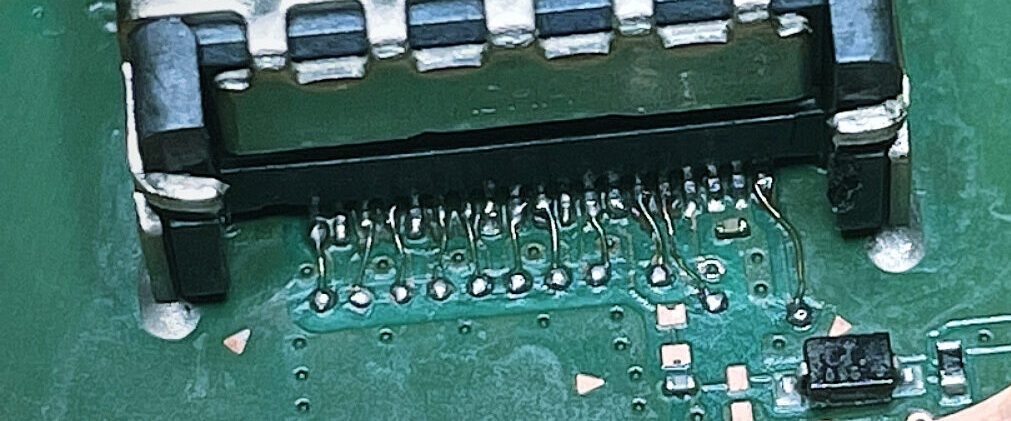
Yes. A visually perfect HDMI port does not prove the connector or the surrounding circuitry is healthy. The fault may involve solder joints underneath the socket, damaged pads, or another part of the HDMI display path.
Try These Checks Before Booking a Repair
How a PS5 HDMI Port Is Replaced
The PS5 HDMI connector is soldered directly to the motherboard. It is not a plug-in part, so replacement requires controlled board-level soldering and careful inspection of the mounting pads.
Check the connector, pins and surrounding board area.
Determine whether the physical socket is actually the cause.
Use controlled heat to remove the connector without unnecessary board damage.
Check that the motherboard connections are intact and repair them where required.
Install and solder the new HDMI connector.
Verify video output and stability before the repair is completed.
What if the HDMI Port Is Completely Broken?
If pins are bent, missing or crushed, or the socket has been pushed into the console, replacement is normally required.
The condition of the motherboard underneath the connector also matters. An impact can damage or lift the pads the port solders to, which is why the board should be inspected once the damaged connector is removed.
Local Drop-Off or UK Mail-In Repair
Need PS5 HDMI Repair?
If your PS5 has no signal, a loose HDMI socket or visible port damage, we can inspect the console and confirm the correct repair before unnecessary parts are replaced.
PS5 HDMI Repair FAQ
Does every no-signal fault need a new HDMI port?
No. The socket, solder joints or another part of the HDMI display path can be responsible, so the fault should be confirmed first.
Can I send a PS5 by post?
Yes. See our UK game console mail-in repair page or view the PS5 HDMI repair service.